Free
€ 0forever
Everything you need to get started together.
- Tasks and shared shopping
- Unlimited group members
- Two active routines

Your household’s shared memory
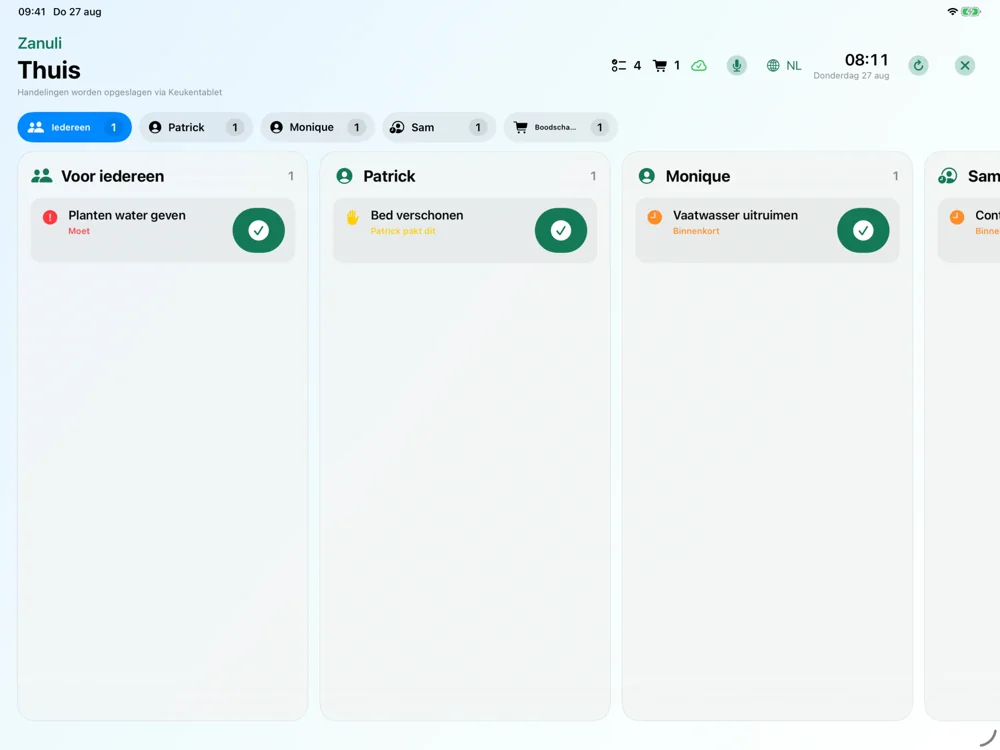
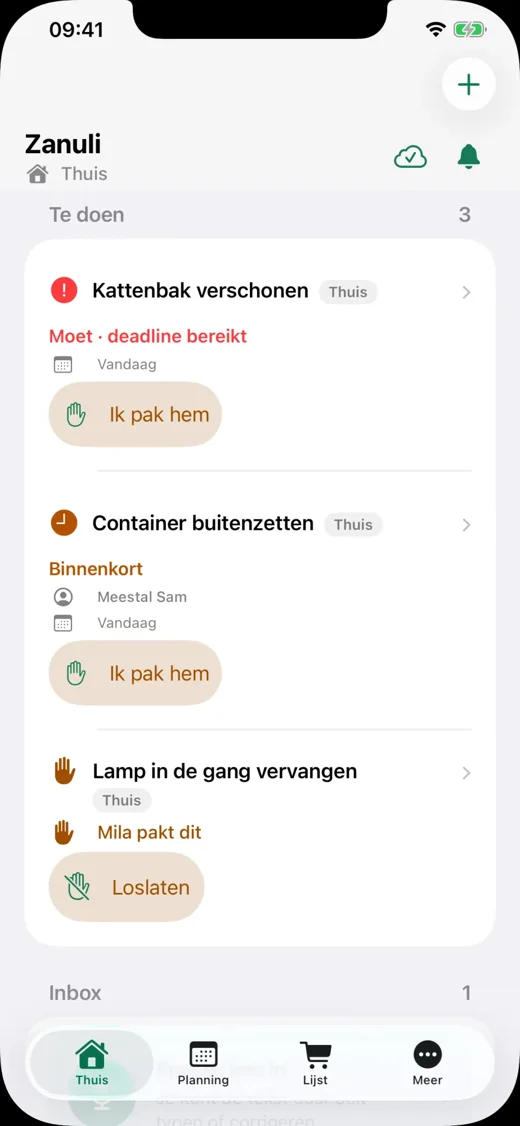
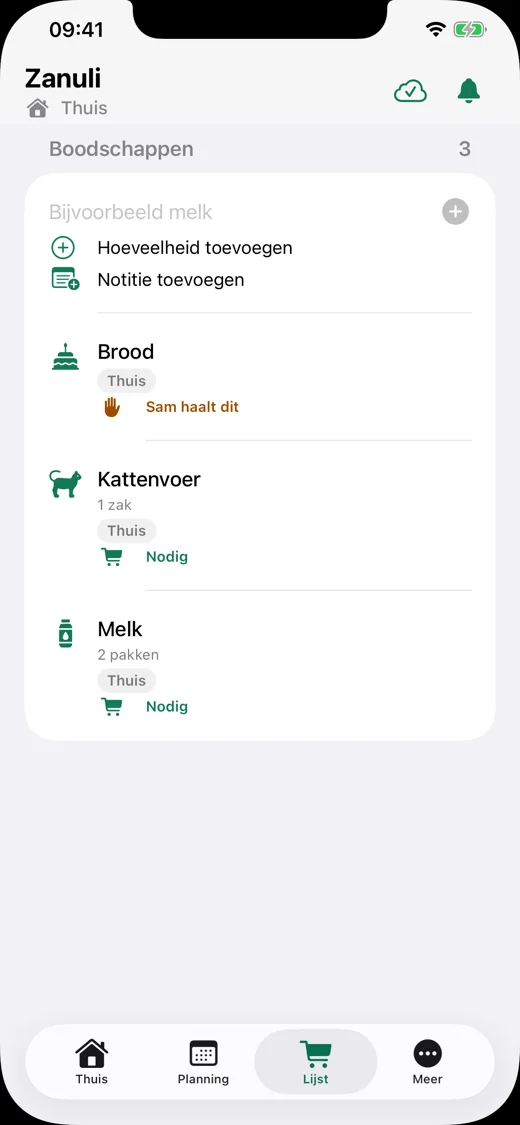
Share chores, see your shared appointments and keep track of groceries. On your phone when you are out, and on one kitchen display for everyone at home.
Tasks, routines and groceries for your household, with a weekly planner and calendar connections from Zanuli 1.3.6.
Start free · No payment method needed
For iPhone with iOS 17 or later and iPad with iPadOS 17 or later.
Android is in development. Keep me informed
Zanuli
For example, add ‘Clean the bathroom’ as a routine for every Monday.
Lisa picks up the task. Everyone in the group can see who is handling it.
Lisa checks it off. The routine returns on the next scheduled Monday.
Example with fictional people; you choose the task, person and repeat schedule.
Simple to start
Start free. Try Premium for 30 days. No payment method is needed for the trial and nothing renews automatically. Decide what suits your group afterwards.
Free
€ 0forever
Everything you need to get started together.
Premium Group
€ 3.99per month
or € 29.99 per year
For households that want to use all of Zanuli.
Premium applies per group, not per person. The trial ends automatically. A paid App Store subscription renews automatically until you cancel. Dutch App Store prices including VAT. The App Store always shows the final local price and terms.
See what needs attention and who is handling it.
Set it up once. The task then returns automatically.
One shared list, even when you are already at the shop.
See what needs attention from your home screen.
Park a task until you can continue or the time is right.
Start with a ready-made set and adapt it to your household.
One shared view, including for people without their own phone.
See how it works →No email address needed. Take turns with a recurring chore.
See how it works →See who did what and agree on points together.
See how it works →Running low on milk? Or a chore you do not want to forget? Tap the microphone in the app or on the kitchen display and dictate it. Check the recognised text and add your task or shopping item.
Start dictation yourself with the microphone button. Allow microphone access and speech recognition when first asked.
Open the guideFor the whole home
Place or mount an iPad in the kitchen so everyone at home can see what is happening. Tasks by person, recurring routines and groceries on one shared display.
Kitchen Display requires an iPad with iPadOS 17 or later, internet and Premium for your group.
Explore Kitchen Display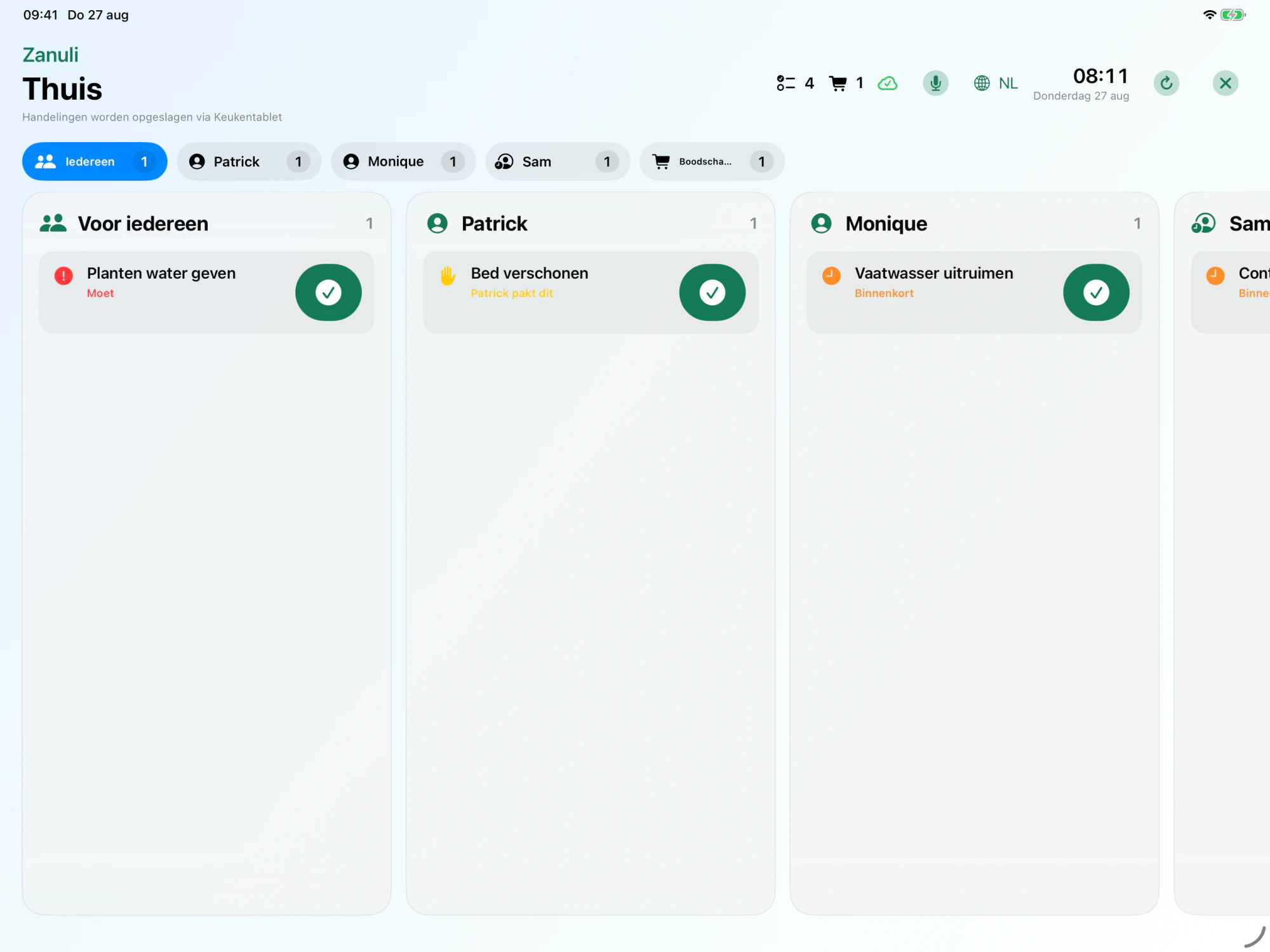
Zanuli
Every group stays private. Zanuli also works temporarily offline and never sells your data.
Read the privacy policy →Zanuli
Zanuli is available for iPhone and iPad. Android is in development; sign up to stay informed.
Everything in Free, plus unlimited routines, Kitchen Display and connections to Shelly and Home Connect. Premium applies per group, not per person. The trial ends automatically. A paid App Store subscription renews automatically until you cancel.
Kitchen Display requires an iPad with iPadOS 17 or later, internet and Premium for your group.
You can add and complete tasks offline. Changes sync with the group when you reconnect. An up-to-date shared view needs internet.
Yes. Switch between groups with one account. Each group has its own members, tasks and groceries; Premium applies per group.
Groups are private. Zanuli has no advertising and does not sell your data. Read the privacy policy for details on data processing.
Available from Zanuli 1.3.6
See the week in the app or on the kitchen display, browse ahead and add tasks or appointments. Connect an existing Google calendar or create a separate family calendar. The iCloud connection is still being tested with a real account.
Available from Zanuli 1.3.6 in the App Store. Google has approved the requested calendar access. The real iCloud account test is still pending. Outlook is not available yet.
Available from Zanuli 1.3.9.
Home is your daily overview. Planning shows tasks and events together immediately. The four main tabs remain.
Plan one meal per day for the selected group. Add ingredients with quantities and choose what goes on the shopping list.
Your day, tasks and routines → · Plan meals and select groceries →
Available from Zanuli 1.3.9.
Save recipes with your group, choose them for a meal and add only the ingredients you need to Groceries. The planned recipe also opens on the Kitchen Display.
Your own recipes and recipe links →Zanuli
Download free for iPhone and iPad
Android is in development. Keep me informed